How to Choose a Video Interface for FLIR Boson and Boson+ Thermal Camera Modules
FLIR Boson® and Boson+ thermal camera modules support multiple video interfaces for original equipment manufacturer (OEM) integration, including universal serial bus (USB), Mobile Industry Processor Interface (MIPI), and complementary metal-oxide-semiconductor (CMOS). Selecting the right interface depends on system requirements such as processor compatibility, power consumption, latency, video format, radiometric data, and driver development.
In this episode of Thermal Integration Made Easy, engineers and developers learn how USB, MIPI, and CMOS video interfaces compare when integrating Boson and Boson+. The video explores the advantages and challenges of each interface, including processor support, driver requirements, data and clock connections, latency, and support for 16-bit monochrome and colorized thermal video.
Key Takeaways
What video interfaces are available for FLIR Boson and Boson+?
Boson and Boson+ support multiple video output options, including USB, MIPI, and CMOS. Each interface offers different advantages related to ease of integration, power consumption, latency, video formats, and host processor compatibility.
What is the easiest video interface for Boson and Boson+ integration?
USB is generally the easiest and most widely supported output option for processors and PCs. USB video uses the USB Video Class (UVC) format, which is supported by many host platforms.
When should MIPI be used with Boson or Boson+?
MIPI can be a strong option for processor-based integrations requiring lower power and direct video input. According to the video, MIPI is generally a better input than CMOS for most processors and image signal processors (ISPs), although driver integration may be required.
What are the advantages of MIPI for radiometric applications?
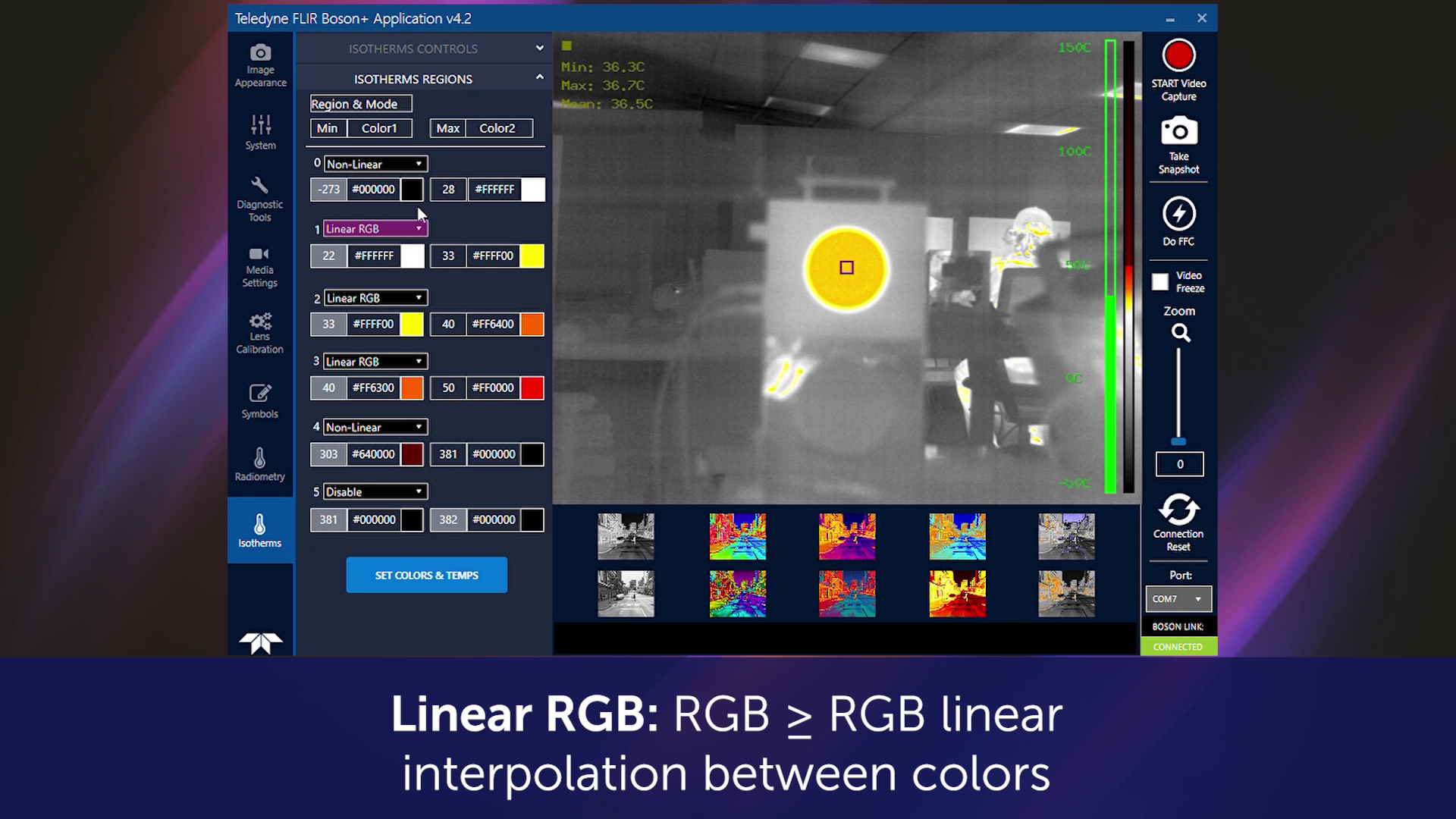
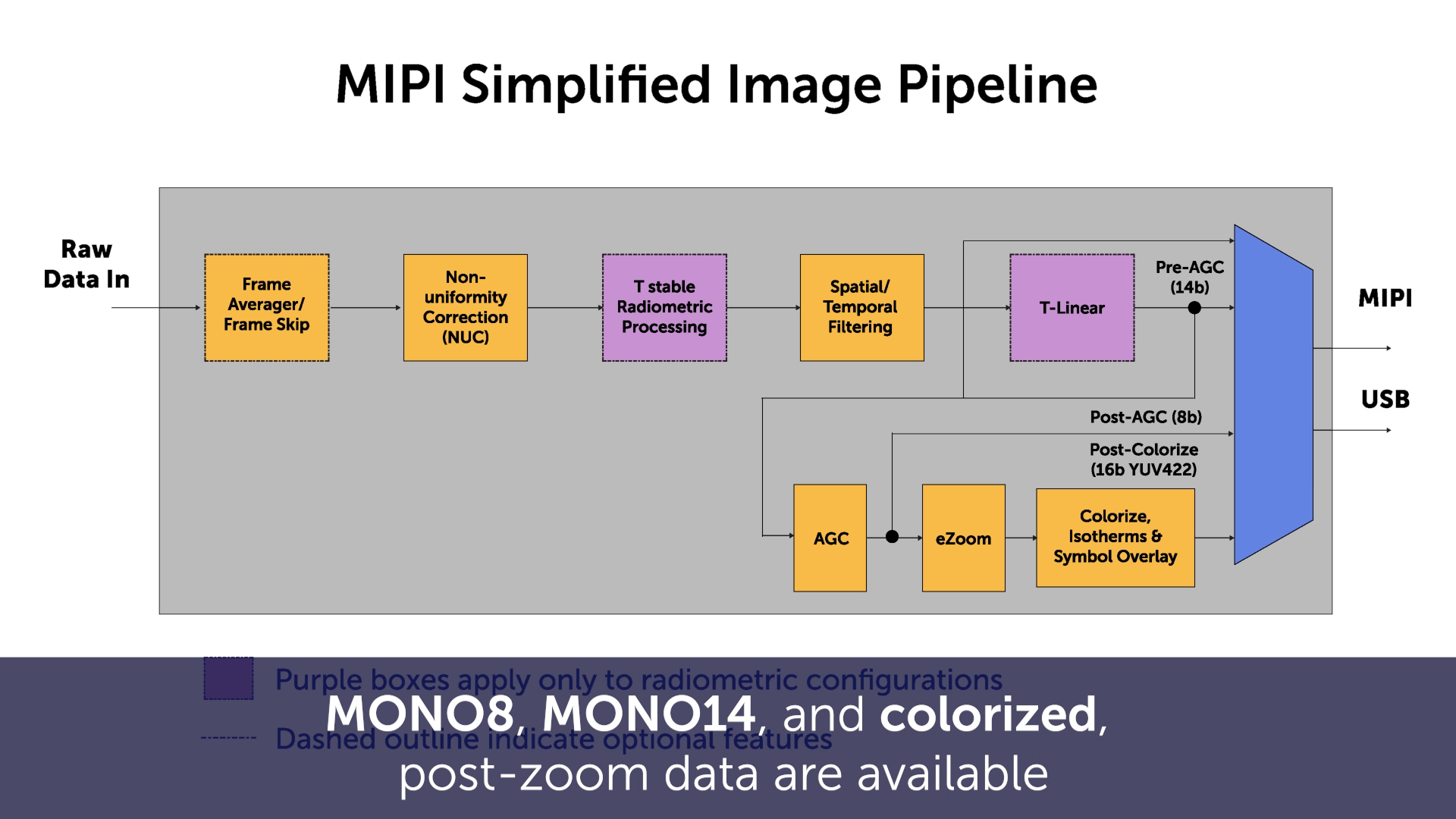
MIPI can provide 16-bit monochrome and colorized video concurrently at 30 Hz. This can benefit radiometric applications that require both temperature-related data and a processed thermal image for display.
How does CMOS compare with MIPI?
Both MIPI and CMOS provide lower-power alternatives to USB but may require additional driver development. CMOS can require more physical connections, with up to 16 data pins needed when 16-bit monochrome or YCbCr output is required.
What are the driver requirements for MIPI integration?
MIPI may require adapting an existing driver or developing a new driver using Teledyne FLIR documentation. The video references an NVIDIA Jetson TX2 example driver as a potential starting point.
What are the driver requirements for CMOS integration?
CMOS drivers can be developed using the timing and interface information provided in the camera datasheet.
How many connections does MIPI require?
The video specifies two to four pins for MIPI data and two pins for the pixel clock, allowing it to use fewer connections than some CMOS implementations.
What is the video latency for MIPI and CMOS with Boson+?
The video states that MIPI and CMOS latency with Boson+ is approximately 6 milliseconds, reduced from approximately 25 milliseconds in the previous implementation.
What is the USB video latency for Boson+?
The video does not provide a characterized USB latency value but states that USB latency improved by approximately 19 milliseconds along with the other output modes.
Can Boson video latency settings be adjusted?
Yes. According to the video, latency controls can be adjusted through the Boson software development kit (SDK).
Which Boson video interface is best?
The appropriate interface depends on the application. USB offers simpler integration and broad host support, while MIPI and CMOS provide lower-power options that may be better suited for embedded systems but typically require additional driver development.
Products & Technology Featured
FLIR Boson and Boson+ Thermal Camera Cores
FLIR Boson and Boson+ are compact, uncooled longwave infrared (LWIR) thermal camera cores designed for OEM integration across applications including autonomy, security, industrial inspection, and other embedded thermal imaging systems.
Looking for additional technical resources or support?
Visit our Support Center for documentation, software downloads, and troubleshooting guidance.
Related Documents
- Boson+ Datasheet
- Boson+ CZ Datasheet
- Boson Datasheet
- Boson Engineering Datasheet
- Boson Family Brochure
- 5 Factors Influencing Radiometric Temperature Measurements
Application Notes & Tools
- Boson Camera Adjustments Application Note
- Boson FFC/NUC Control Application Note
- Boson Development Board Application Note
- Boson Lens Selector Tool
Boson GUI Download